If you’ve ever felt stuck between cheap shared hosting and expensive dedicated servers, you’re not alone. Many website owners reach a point where their site feels slow, unstable, or limited—but upgrading sounds technical, risky, or confusing. That’s exactly where this guide comes in.
In this article, you’ll learn what is VPS hosting, how it actually works behind the scenes, who it’s meant for, and whether it’s the right next step for your website or business. No jargon overload. No sales hype. Just practical explanations from real hosting experience.
By the end, you’ll be able to confidently decide if VPS hosting fits your needs—or if another option makes more sense.
The Hosting Problem Most Websites Eventually Face
Most websites start small. A blog, a business site, maybe an online store with a few products. Shared hosting works fine at first because it’s affordable and simple.
But over time, issues start showing up:
-
Your site slows down during traffic spikes
-
Pages take longer to load even after optimization
-
You get random downtime with no clear reason
-
Hosting support tells you “another account on the server caused it”
-
You hit limits on CPU, RAM, or processes
This is usually the moment people start asking about VPS hosting.
What Is VPS Hosting and How Does It Actually Work?
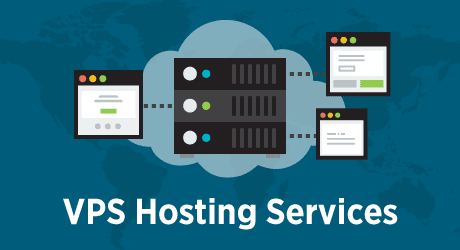
VPS stands for Virtual Private Server. In simple terms, it’s a hosting setup where one physical server is divided into multiple virtual servers—each with its own dedicated resources.
Here’s the key difference:
Even though multiple users share the same physical machine, your VPS behaves like an independent server.
You get:
-
Your own allocated CPU
-
Dedicated RAM
-
Reserved storage
-
Isolated operating system environment
That means other websites on the same machine can’t drain your resources or crash your site.

Think of It Like This
-
Shared hosting is like living in a crowded apartment with shared utilities
-
VPS hosting is like renting your own apartment in a building
-
Dedicated hosting is owning the entire house
VPS gives you privacy, control, and stability—without the cost of a full dedicated server.
How VPS Hosting Is Different from Shared Hosting
This is where most beginners get confused, so let’s break it down clearly.
Shared Hosting (Entry-Level)
Shared hosting places hundreds—or sometimes thousands—of websites on one server. Everyone pulls from the same pool of resources.
It works well for:
-
Personal blogs
-
Small static websites
-
New projects with low traffic
But the downsides become obvious as you grow:
-
No control over server environment
-
Performance depends on neighbors
-
Limited customization
-
Strict usage limits
VPS Hosting (Mid-Level)
VPS hosting solves these problems by isolating your resources.
With VPS, you get:
-
Predictable performance
-
Better uptime and stability
-
Root or admin access (on most plans)
-
Ability to install custom software
-
More control over security settings
For growing websites, the difference is noticeable—especially in speed and reliability.
VPS Hosting vs Dedicated Server: Do You Really Need Full Control?
Dedicated servers sound powerful—and they are—but they’re not always necessary.
A dedicated server means:
-
One physical server
-
One customer
-
Maximum control and performance
-
Much higher cost
-
More management responsibility
In real-world hosting environments, many small businesses never need that level of power.
VPS hosting often delivers:
-
70–80% of the performance of dedicated servers
-
At a fraction of the cost
-
With far less complexity
Unless you’re running massive applications, high-frequency trading platforms, or enterprise systems, VPS hosting usually hits the sweet spot.
Types of VPS Hosting You Should Know About
Not all VPS hosting is the same. Understanding the main types helps you avoid choosing the wrong plan.
Managed VPS Hosting
This is ideal if you don’t want to deal with server administration.
Your hosting provider handles:
-
Server setup and updates
-
Security patches
-
Performance monitoring
-
Backups
-
Basic troubleshooting
Best for:
-
Business owners
-
Non-technical users
-
Agencies managing multiple sites
Unmanaged VPS Hosting
You get full control—but also full responsibility.
You handle:
-
OS installation and updates
-
Security configuration
-
Server optimization
-
Fixing errors
Best for:
-
Developers
-
System administrators
-
Advanced users who want flexibility
If you’re unsure, managed VPS is usually the safer starting point.
Real Performance Benefits of VPS Hosting
From experience, these are the improvements most users actually notice after moving to VPS hosting:
Faster Website Speed
Dedicated resources mean:
-
Faster page load times
-
Better Core Web Vitals
-
Improved user experience
This matters not just for visitors, but also for search engine rankings.
Better Stability During Traffic Spikes
If your site gets a sudden surge—sales, promotions, viral content—VPS hosting can handle it without crashing.
Improved Security
Isolation protects your site from:
-
Malware spreading from other accounts
-
Server-wide security breaches
-
Poorly coded neighbor websites
You also get more control over firewalls, access rules, and monitoring.
Who Should Use VPS Hosting?
VPS hosting isn’t for everyone—but it’s perfect for many common scenarios.
You should consider VPS hosting if:
-
Your site has outgrown shared hosting
-
You run an eCommerce store or membership site
-
Website speed impacts your revenue
-
You manage multiple websites
-
You need custom server configurations
-
You want better uptime guarantees
It’s especially popular with:
-
Small to medium businesses
-
SaaS startups
-
Digital agencies
-
Content-heavy blogs
-
Online stores
How VPS Hosting Affects SEO and User Experience
Hosting quality directly impacts SEO more than most people realize.
With VPS hosting, you often get:
-
Faster page speed
-
Lower bounce rates
-
Better crawl stability
-
Reduced downtime
-
Improved Core Web Vitals
Search engines favor websites that load fast and stay online consistently. VPS hosting supports both.

Choosing the Right VPS Hosting Plan
When evaluating VPS providers, focus on real specs—not marketing buzzwords.
Look for:
-
Guaranteed CPU cores and RAM
-
SSD or NVMe storage
-
Scalable resources
-
Reliable uptime history
-
Transparent pricing
-
Responsive technical support
Also consider:
-
Data center location
-
Backup options
-
Security features
-
Control panel availability
Internal linking suggestion:
You may want to explore guides like shared hosting vs VPS hosting, how to choose a hosting provider, or managed vs unmanaged VPS explained for deeper comparisons.
When You Should Not Choose VPS Hosting
Honesty matters. VPS hosting isn’t always the best choice.
You may not need it if:
-
Your site has very low traffic
-
You run a simple one-page website
-
Budget is extremely limited
-
You don’t need customization or performance
In these cases, a quality shared hosting plan may still be enough—for now.
Final Thoughts
So, what is VPS hosting really about? It’s about balance.
VPS hosting bridges the gap between entry-level shared hosting and high-end dedicated servers. It gives you control, performance, and reliability—without overwhelming complexity or cost.
If your website matters to your business, your brand, or your income, VPS hosting is often one of the smartest upgrades you can make.